A look inside Readiness Pulse
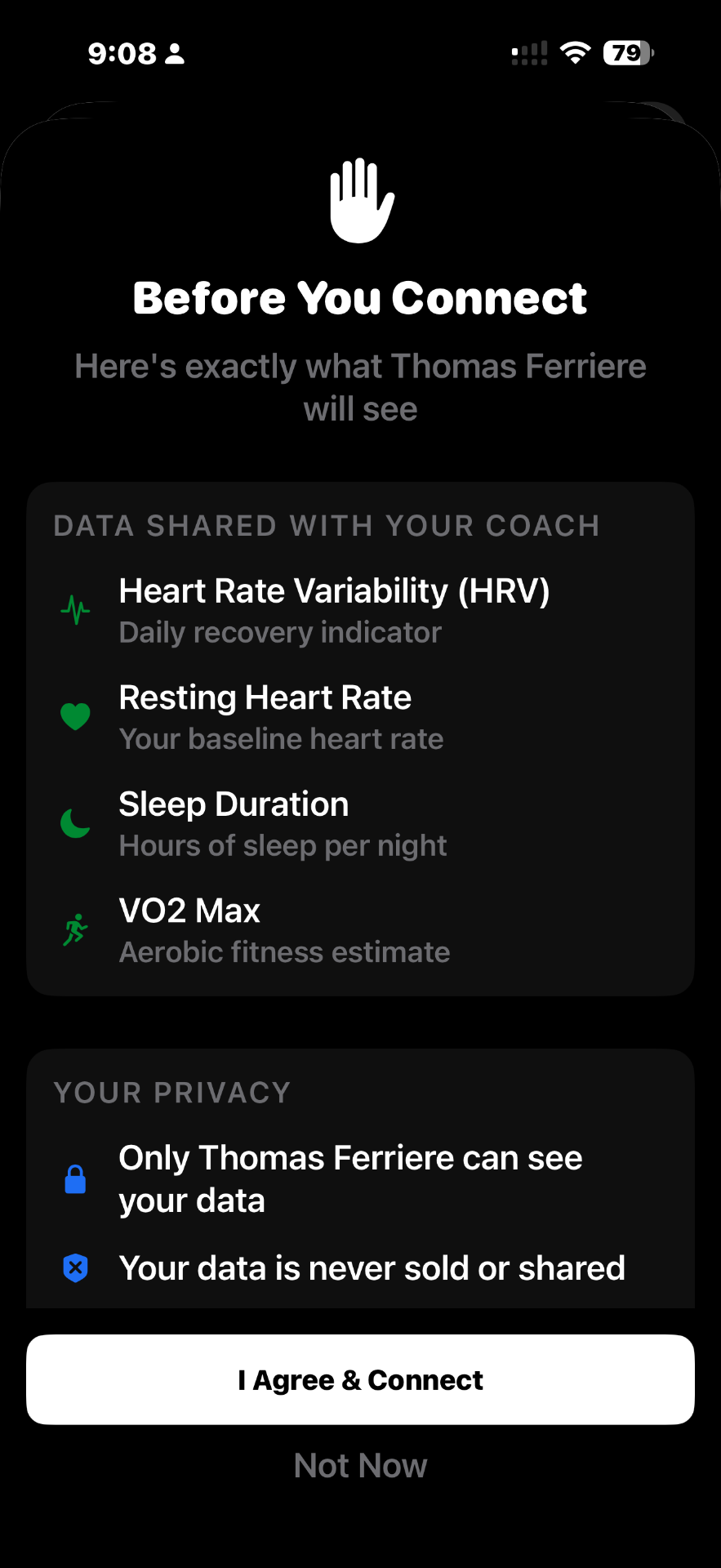
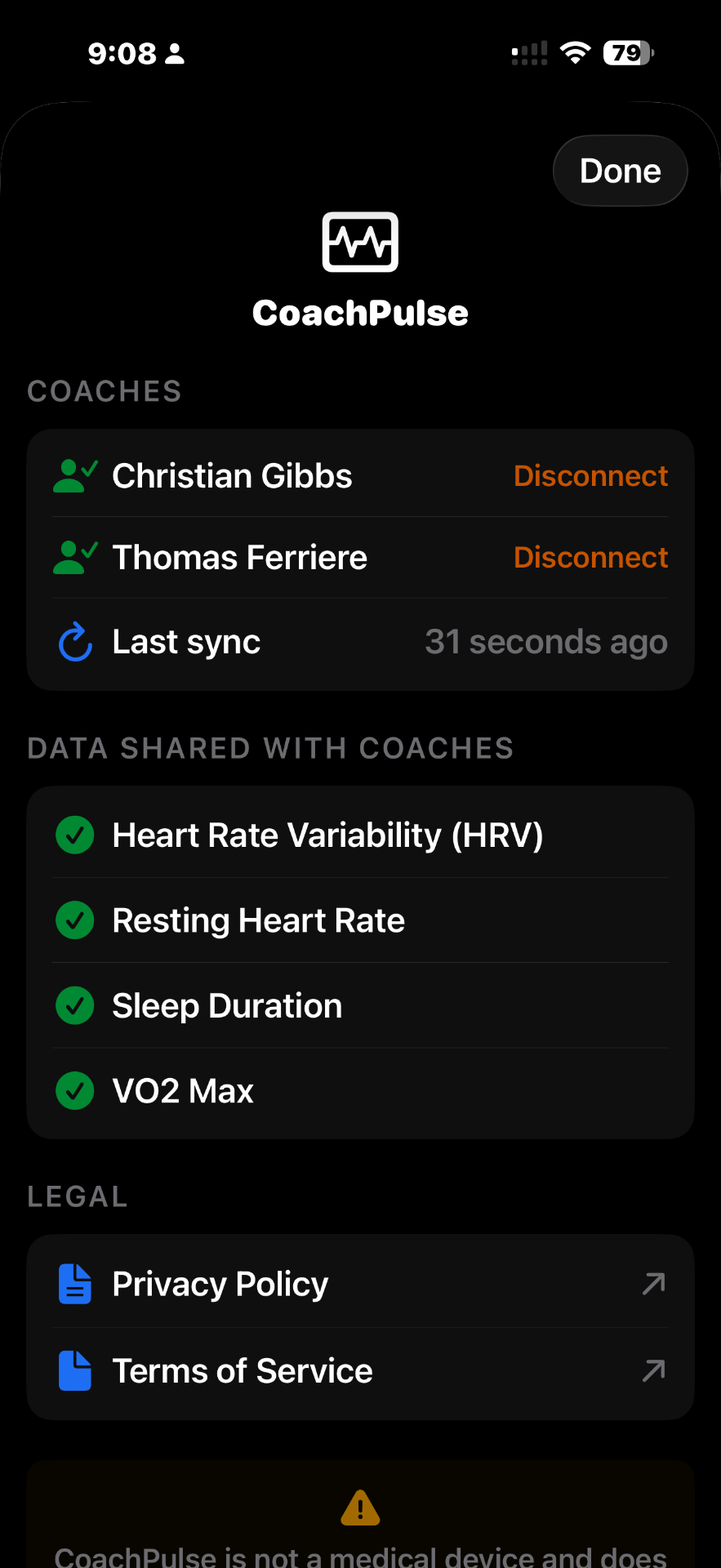
One tap to connect. Your data flows automatically. Full control in Settings — disconnect anytime.
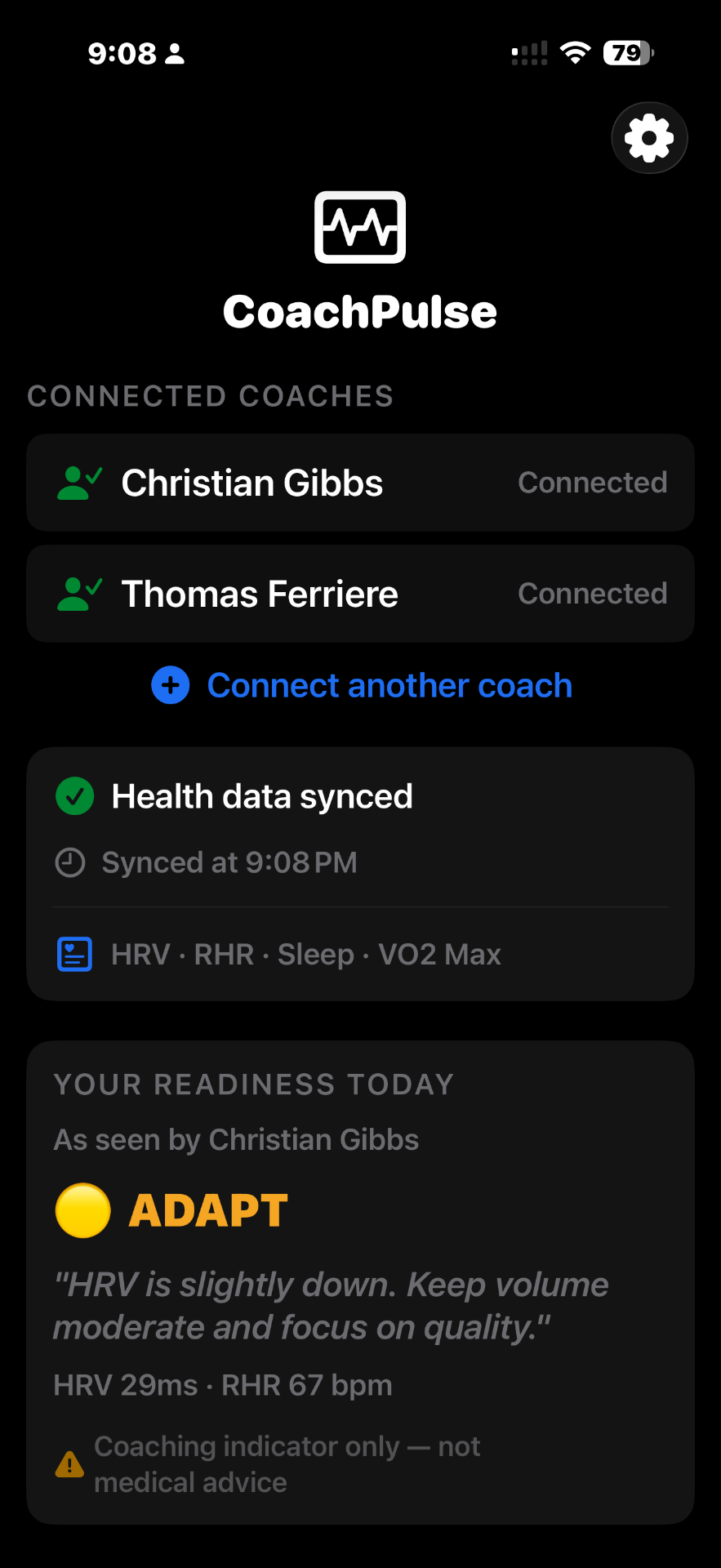
How to install Readiness Pulse
Readiness Pulse is currently in beta — available through Apple's official TestFlight platform.
Get TestFlight
(if you don't have it)
TestFlight is Apple's free official app for beta testing. Download it from the App Store first if you don't have it already.
Install Readiness Pulse
Tap the button below to open TestFlight and install Readiness Pulse. If TestFlight is already installed it opens automatically.
Accept & open
Tap Accept when TestFlight asks you to join the beta. Readiness Pulse installs in seconds. Open it and sign in with your Apple ID.
TestFlight is made by Apple and is completely safe. Readiness Pulse uses it to deliver updates quickly during our beta period before the full App Store launch.
How it works
Install & sign in
Download Readiness Pulse and sign in with your Apple ID. Takes 30 seconds.
Enter your coach's code
Type in the invite code your coach sent you. You're instantly linked.
That's it
Readiness Pulse runs quietly in the background. Your Apple Watch data syncs to your coach automatically every day.
What your coach sees
Four metrics. That's the complete list.
Recovery Score
How well your nervous system recovered overnight — measured by your heart rate variability.
Resting Heart Rate
Your baseline heart rate while at rest. Lower is generally better.
Sleep Duration
How many hours you slept last night, read directly from your Apple Watch.
Fitness Level (VO2 Max)
An estimate of your aerobic fitness that improves over time.
Works with your device
Anything that syncs to Apple Health works.
Your data. Your choice.
Only your coach sees your data
Never sold or shared with anyone
Disconnect anytime in Settings
Not a medical device — coaching use only